Molt (the Snake Card Game)
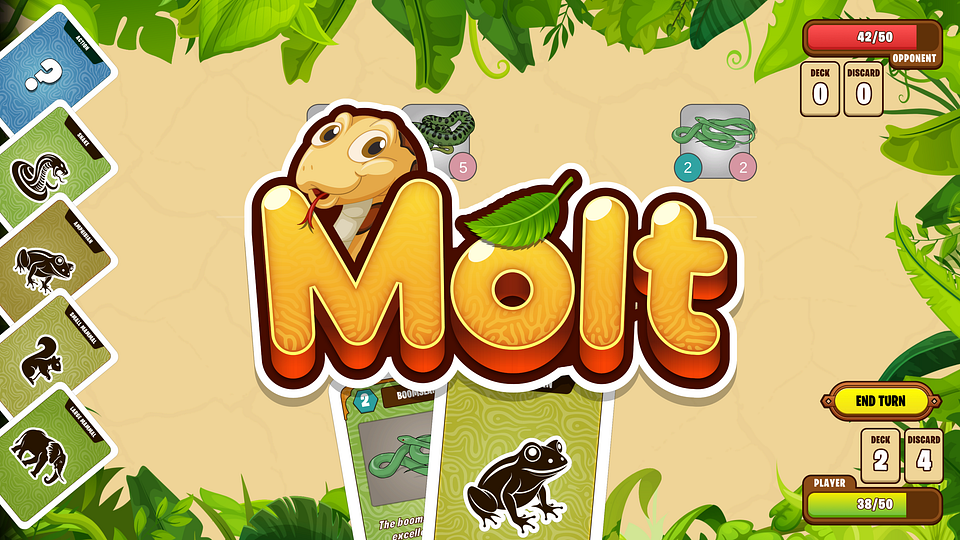
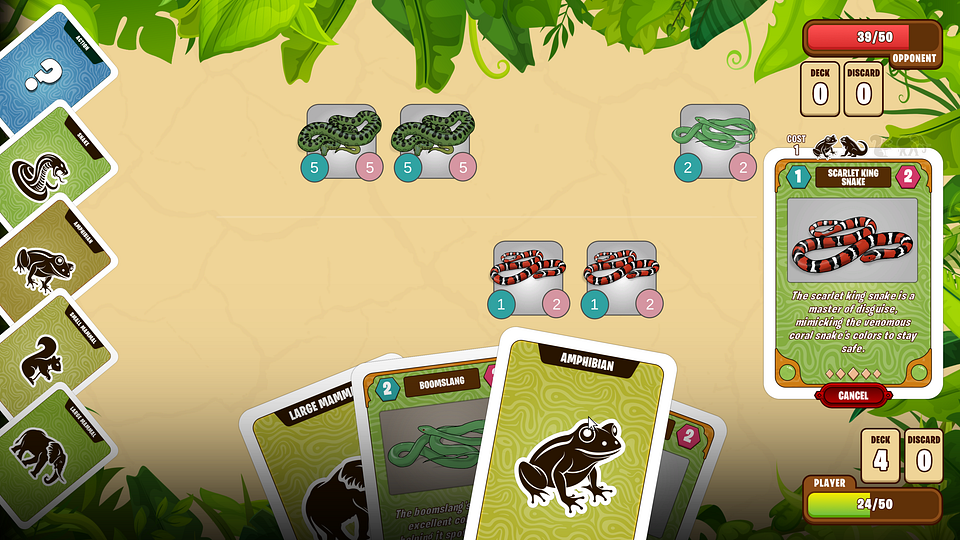
Molt is a turn-based deckbuilding card game. It aims to be educational and fun, with realistic depictions of snake species. The game implements mechanics of a turn structure, card "buys", putting cards into play via a food cost, Action cards with various effects, and condition cards that apply for the duration of a match. The game is built in Unity, has several in-game tools for balancing, debugging and tweaking settings on device.
Event architecture
Nearly every action in the game is controlled by events. This is allows decoupling systems, for example the HUD UI display of the players health from the system managing the logic surround health updates. The game state is entirely data driven and the UI can be updated to represent that state with a few event calls.
This is very useful for the "replay" system which shows what happened on your opponent's turn; this works simply by resetting the game state to a cached version of the pre-turn state and then replaying the set of steps that happened, as defined by the events that were fired during the turn.
public enum TurnStepType
{
    DRAW, PLAY_CARD, HEALTH_CHANGE, ...
}

public class TurnStep
{
    public TurnStepType type;
}

public class TurnStepHealthChange : TurnStep
{
    public int amt;
}

public struct TurnInfo
{
    public List<TurnStep> Steps;
    public PlayerData playerDataBefore;
    public PlayerData opponentDataBefore;
}

public class TurnReplay : MonoBehaviour
{
    public IEnumerator ShowReplay(TurnInfo turn)
    {
        // Disable all user actions while replay is playing.
        EventDisableUserTurnActions.Invoke();

        // Reset UI to state before turn
        var playerDataAfter = GameData.PlayerData.Clone();
        var opponentDataAfter = GameData.OpponentData.Clone();
        GameData.PlayerData = turn.opponentDataBefore;
        GameData.OpponentData = turn.playerDataBefore;
        EventRefreshUI.Invoke();

        // Show replay
        yield return ReplaySequence(turn);

        // Reset UI to state after turn
        GameData.PlayerData = playerDataAfter;
        GameData.OpponentData = opponentDataAfter;
        EventRefreshUI.Invoke();

        // Re-enable user actions
        EventEnableUserTurnActions.Invoke();
    }

    private IEnumerator ReplaySequence(TurnInfo turn)
    {
        foreach (var step in turn.Steps)
        {
            switch (step.type)
            {
                case TurnStepType.PLAYER_HEALTH_CHANGE:
                    var hc = (TurnStepHealthChange)step;
                    // Fire events or yield coroutines as appropriate
                    // to show appropriate action/animation
                    break;
                ...
                default:
                    throw new ArgumentOutOfRangeException();
            }
        }
        yield return null;
    }
}

...

// Ex: queue an attack as a replayable turn action
public static void Attack(CombatEncounter combatEncounter)
{
    TurnStepSlotAttack turnStep = new();
    turnStep.type = TurnStepType.ATTACK_SLOT;
    turnStep.slot = combatEncounter.CombatSlot.SlotIndex;
    turnStep.damage = combatEncounter.CombatSlot.AttackerSnakeCard.strength;
    turnStep.opposed = true;

    // Attack opponent check
    if (AttackDirectCheck(combatEncounter))
    {
        AttackDirectly(ref turnStep, combatEncounter);
        EventQueueTurnStep.Invoke(turnStep);
        return;
    }

    // Attack snake
    AttackSnake(ref replayStep, combatEncounter);

    // Record attack result for replay
    EventQueueTurnStep.Invoke(turnStep);
}
Pluggable Enemy UI Logic
public interface OpponentAI
{
    CardBase BuyPhase(PlayerData data);
    void PlayPhase(PlayerData data);
}

public class OpponentAISimple : OpponentAI
{
    public CardBase BuyPhase(PlayerData data)
    {
        // Choose a random card to purchase
        var randomCard = ...
        data.Hand.Add(randomCard);
    }

    public void PlayPhase(PlayerData data)
    {
        // Play the first card in hand that you're able to
        foreach (var card in data.Hand) {
            if (card.CanPlay()) {
              EventPlayCard.Invoke(card);
              return;
            }
        }
    }
}

public class OpponentAIAdvanced: OpponentAI
{
    public CardBase BuyPhase(PlayerData data)
    {
        // Use an optimization strategy to choose the best purchase
    }

    public void PlayPhase(PlayerData data)
    {
        // Use an optimization strategy to choose which cards to play
    }
}
Stackable Action cards
Action cards perform a variety of modifiers to the game state, such as healing the player or the player's snakes, giving upgrades and perks, stealing opponent snakes, etc. Some action card involve choosing other cards from your hand or play.
Inspired by Dominion, Action cards support stackable functionality - take the card Deja Vu for instance, which lets you play any other Action card from your hand twice. You can even apply Deja Vu with itself to allow for an indefinite chain of actions.
public class ActionCard
{
    public ActionType actionType;
    ...
    public Action<bool> actionFunc;
    public Func<bool> canPlayFunc;
}

var annihilate = new ActionCard()
{
    actionType = ActionType.ANNIHILATE,
    ...
    actionFunc = isPlayer =>
    {
        ...
        EventActionEnd.Invoke();
    };,
    canPlayFunc = () => { return true }
};

if (annihilate.canPlayFunc()) annihilate.actionFunc();

public static class ActionStack
{
    private static int _stackingCount;

    public Event EventActionEnd;
    public Event EventActionPush;
    public Event EventActionPop;

    public static void Setup()
    {
        EventActionPop += () => {
            _stackingCount -= 1;
           if (_stackingCount == 0) EventActionEnd?.Invoke();
        }
        EventPush += () => stackingCount += 1;
    }
}

// Test

[Test]
public void Test_StackedAction()
{
    int eventPushCalls = 0;
    int eventPopCalls = 0;
    int eventEndCalls = 0;
    EventActionEnd += () => eventPushCalls += 1;
    EventActionEnd += () => eventPopCalls+= 1;
    EventActionEnd += () => eventEndCalls += 1;

    new ActionThatSpawnsAnotherAction().Get().actionFunc(true);

    Assert.AreEqual(2, eventPushCalls);
    Assert.AreEqual(2, eventPopCalls);
    Assert.AreEqual(1, eventEndCalls);
}
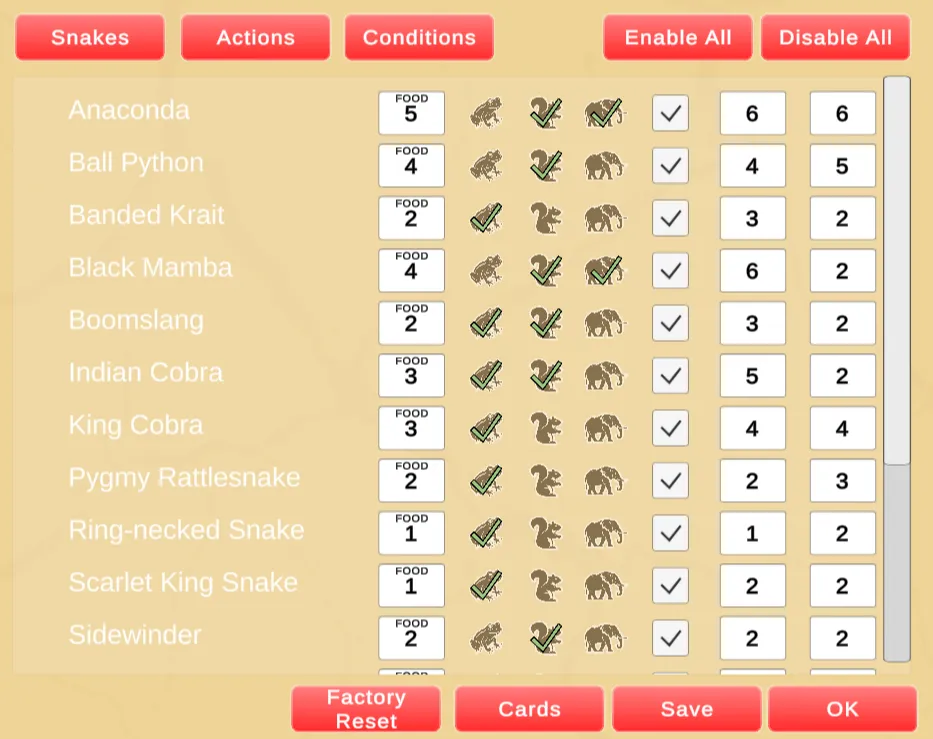
In Game Tools As most of the playtesting for this game happens on mobile, its critical to be able to quickly fix balancing issues on-device without issuing a new build. To this end, all cards and stats are fully configurable within the game, and these settings persist across play sessions.
- debug/telemetry tools
- UI features, traits display, card preview with traits, hand fanning (maybe unity engine tool for hand-tuned fanned position and horizontal fallback for large hands)
- CI/CD, auto steam deploy
- TODO: Online would be good.. shouldn't be that hard